at
Monday, July 19, 2010
Posted by
jay
Finally after 18 months i am returning to Blogging.In these 18 months lot of things have changed. For me its a college to corporate journey. When i started blogging at that i was anengineering student. Now i am an employee of a IT major in India. It feels nice when i look at the stats of my blog.Even after 18 months i am getting a good number of visitors, revenue generated is good, feed readers have increased.So overall its nice to come back. Now i will be posting my articles more frequently.
This is a image that i received on email that describes the way in which this search engine giant processes your query.It easy to understand and is in a very simple manner.

[Click on image to enlarge]
at
Thursday, February 19, 2009
Posted by
jay
When we read or search books at
Google Books then we found that it provides an easy way to search books and magazines that have been scanned by Google but there is a problem with that, the books and magazines can be viewed online but there is no direct way to download the whole book at the same time though it is possible to save the single page that is being displayed to the local computer but that would mean that it is available in html format with an extra folder for additional elements which is not really handy.

That can be very frustrating for user to save page by page foe downloading a whole book but now there is a better alternative for this.There is a software program
Google Books Downloader that can be used to download parts or entire books in pdf format. The process requires some manual work on part of the user. Books and magazines are identified by an unique ID which is displayed in the address bar. That unique ID has to be copied and pasted into the software. Everything else is done automatically by the software. The program will scan all pages of the selected book or magazine and display all pages in its interface.
Each page can be selected for download separately which is useful if only selected parts of the book or magazine should be downloaded. The other option available is to download the full book or magazine right away to the local computer.
at
Sunday, February 01, 2009
Posted by
jay

If you did a Google search between 6:30 a.m. PST and 7:25 a.m. PST this morning, you likely saw that the message “This site may harm your computer” accompanied each and every search result as seen in the above image even if the result include Google's site itself.This is was unbelievable Google was marking or flagging the whole internet as malware.And when you click on the message it was taking people to a support page from Google,it pointed to StopBadware.org.
This error lasts approximately 40 minutes so most of users might not have seen this and remain unaffected by this but such kind of error on worlds biggest search engine can't be neglected.when Google tried to find out what was the reason the they found that a single slash ( / ) was the main culprit.This single slash forced Google to flag each and every site displayed in its result as Malware. Here is Google's official statement about this.
If you did a Google search between 6:30 a.m. PST and 7:25 a.m. PST this morning, you likely saw that the message “This site may harm your computer” accompanied each and every search result. This was clearly an error, and we are very sorry for the inconvenience caused to our users.
What happened? Very simply, human error. Google flags search results with the message “This site may harm your computer” if the site is known to install malicious software in the background or otherwise surreptitiously. We do this to protect our users against visiting sites that could harm their computers. We work with a non-profit called StopBadware.org to get our list of URLs. StopBadware carefully researches each consumer complaint to decide fairly whether that URL belongs on the list. Since each case needs to be individually researched, this list is maintained by humans, not algorithms.
We periodically receive updates to that list and received one such update to release on the site this morning. Unfortunately (and here’s the human error), the URL of ‘/’ was mistakenly checked in as a value to the file and ‘/’ expands to all URLs. Fortunately, our on-call site reliability team found the problem quickly and reverted the file. Since we push these updates in a staggered and rolling fashion, the errors began appearing between 6:27 a.m. and 6:40 a.m. and began disappearing between 7:10 and 7:25 a.m., so the duration of the problem for any particular user was approximately 40 minutes.
Thanks to our team for their quick work in finding this. And again, our apologies to any of you who were inconvenienced this morning, and to site owners whose pages were incorrectly labelled. We will carefully investigate this incident and put more robust file checks in place to prevent it from happening again.
Thanks for your understanding.
Posted by Marissa Mayer, VP, Search Products & User Experience
Read more!
at
Friday, January 30, 2009
Posted by
jay

Over the past few years we have seen many Google services that has been either closed or they are not further supported by Google like Google answer and lot more.Some of them were Google lab products and was in there beta while they were shut down.This time it is Google Web Accelerator.
Last year, Google removed the download link from Google Web Accelerator's homepage which indicated that the product is no longer supported. Web Accelerator was a Labs experiment launched in 2005 that intended to speed up web browsing by prefetching content and downloading cached web pages from Google's servers.Though it was criticized by many users who don't have unlimited bandwidth connections since it fetches the webpage in advance although user might not be interested in that webpage hence increases their bandwidth uses.
Google Web Accelerator uses various strategies to make your web pages load faster, including:
* Sending your page requests through Google machines dedicated to handling Google Web Accelerator traffic.
* Storing copies of frequently looked at pages to make them quickly accessible.
* Downloading only the updates if a web page has changed slightly since you last viewed it.
* Prefetching certain pages onto your computer in advance.
* Managing your Internet connection to reduce delays.
* Compressing data before sending it to your computer.
Web Accelerator became famous for a security problem: the software transferred unencrypted cookies to Google servers, which were cached and then sent to other Web Accelerator users. Even though the issue was fixed in the next releases, Google Web Accelerator was quickly forgotten and few people noticed that it didn't work well in Firefox 3 and it blocked YouTube videos.
Read more!
at
Thursday, October 09, 2008
Posted by
jay

The source of this post is the discussion that aroused after the recent page rank update by Google.This time most of the bloggers and webmasters found that their page rank are dropped in spite of nothing wrong.They followed almost every thing that Google told them to do like no paid links,nofollow tag etc. but now they are confused how Google determines Page rank.
First of all,what is toolbar page rank
Two entirely different things are called “PageRank”. There’s the Google toolbar PageRank, which is represented by integers 1 through 10, and then there’s the internal PageRank number that Google uses as one of its many ranking factors. When I say PageRank doesn’t matter, I’m talking about the toolbar PageRank. The internal PageRank that Google uses does matter, but it’s far from only thing that matters.
At the simplest level, PageRank (both toolbar and internal) is a measure of a page’s link popularity. How many links does a page have and how authoritative are those links?
So guys don't worry about this update because Matt cutts says
It's just a toolbar PageRank update. Even if you don't show much PageRank, Google still has 200+ other signals we use in our ranking. It's definitely common to see lower-PageRank sites ranking above higher-PageRank sites--which tends confuses the people who obsess too much about PageRank and who don't focus on other factors that search engines might use to rank pages.
This is why sometimes lower page ranked sites are shown upper in the results compared to high page rank sites.But then why Google shows this toolbar pagerank ? Outer pagerank is just a delicate balance that Google has to maintain of giving as much information as possible to web site owners, while not giving away enough to let spammers impact the quality of search results.
Read more!
at
Friday, September 12, 2008
Posted by
jay
Yes it is true.If you published any article on internet either on your blog or any where else using Google's new web browser Google Chrome, then your article is also the property of Google according to Chromes
EULA i.e. end-user license agreements.It states that posting anything via Google Chrome gives Google the right to your content.Here is the Google's word.
11. Content license from you
11.1 You retain copyright and any other rights you already hold in Content which you submit, post or display on or through, the Services. By submitting, posting or displaying the content you give Google a perpetual, irrevocable, worldwide, royalty-free, and non-exclusive license to reproduce, adapt, modify, translate, publish, publicly perform, publicly display and distribute any Content which you submit, post or display on or through, the Services. This license is for the sole purpose of enabling Google to display, distribute and promote the Services and may be revoked for certain Services as defined in the Additional Terms of those Services.
11.2 You agree that this license includes a right for Google to make such Content available to other companies, organizations or individuals with whom Google has relationships for the provision of syndicated services, and to use such Content in connection with the provision of those services.
11.3 You understand that Google, in performing the required technical steps to provide the Services to our users, may (a) transmit or distribute your Content over various public networks and in various media; and (b) make such changes to your Content as are necessary to conform and adapt that Content to the technical requirements of connecting networks, devices, services or media. You agree that this license shall permit Google to take these actions.
11.4 You confirm and warrant to Google that you have all the rights, power and authority necessary to grant the above license.
It does not seems appropriate and it also gives a chance to speak to all the person who blames Google for collecting private information via its each method possible like search, mail,blog, adsense,adwords,analytics almost each service of Google is blamed for this kind of activity and now this.This condition won't last long as people will definitely raise their voice against this so till then avoid Google chrome for publishing content on web.
UPDATE:Google has fliped back on this sensitive issue.Now they say
11. Content license from you
11.1 You retain copyright and any other rights you already hold in Content which you submit, post or display on or through, the Services.
So this is a good news but this leaves a patch on Google's intentions
Read more!
at
Sunday, September 07, 2008
Posted by
jay

Have a look at this image.This is my Google analytics stats,you can clearly visualize the drop in the amount of readers or visits from Google to my site.This drop is very drastic and now my adsense income is also effected by this drop.
When i searched internet on this issue then i found it is usual for Google to penalize or ban sites which did not follow Google's guideline by selling text links ads, or writing reviews without
nofollow tags, black seo etc.(
Read full details).Don't get confused over banned and penalized, ‘penalized’ means that the site exists in Google but ranks considerably lower while ‘ban’ refers to a situation where the site get removed from Google and doesn’t appear in search pages anymore.
For clarification purpose i checked my site site in Google ,it was indexed there but it was ranked lower than usual that's why this was termed as a penalty.But i was still not clear about this because i never used link exchange programs,paid links or black seo,though i wrote some paid reviews but i used nofollows
as advised by mat cutts from Google.So how can Google penalize JaysTech.It was hard to believe but results was showing this .
But when i checked out my Google webmasters tool, then i found a different story,see this image.

Last time when Google tried to index my blog then this so called Url not found error occurred and this Url not found error kept Google away from indexing this blog in Googles search results and this lowered traffic from Google to jaystech.
So now i think my blog is not penalized by Google and this is that error that lowered my traffic and caused a state of Penalized by Google.Even though i have filed an official request for reconsideration to Google that i didn't do any thing wrong or violated any of your policies but even if you think this is the case with my blog then inform me.
Hoping for a change now but if you know anything about this or if have faced this issue before then let me know so that traffic for this blog can be restored to normal.
Read more!
at
Monday, August 18, 2008
Posted by
jay

Its true that most of internet user do not actually know about how to use
I am feeling lucky button of Google present on its homepage.Actually The "I'm Feeling Lucky" button is one of the very few things that stand out on Google's minimalistic homepage. It automatically takes you to the first search result and it's helpful for navigational queries.Though only 1% from Google's searches bypass the search results page and go straight to the top result, Google will keep the strange button on the homepage as it has become a part of its brand.This is some info about I am feeling button of Google.And one more thing
"I'm feeling lucky" button costs Google $110 million per year.
You might think that this information does not state any kind of power of this button that i mentioned in title.Well if you want to feel the power of this magic button,visit
Google, paste below mentioned strings in Google search box and then press I am feeling lucky.
google l33t, elgoog , find chuck norris , google gothic , ewmew fudd , xx-klingon , xx-piglatin , google bsd , google linux , google easteregg , google gizoogle , google bearshare , google microsoft,
google april fool's , google finnish , google black , google christmas.
Hope you feel that why this button is more special inspite of
less use.
at
Friday, August 08, 2008
Posted by
jay

In order to compete with Google map,Yahoo maps added 10 new features to its mapping service Yahoo map on July 31st.
- Improved Local Search integration that utilizes the Search/Direct Display Index
- More user-friendly Driving Directions - a more user-friendly left rail that’s both wider and more legible (larger text), for easier reading of driving directions
- A redesigned Print Page
- The ability to minimize multiple driving direction instructions to save vertical space
- The ability to display inline turn-by-turn images for each driving direction segment
- An Interactive Print Page Map
- Users can now select from a variety map views (full route, full route + finish, full route + start + finish)
- Drag/Pan/zoom functionality for print page maps
- Interactivity between Points of Interest (POIs) and Map view; minimized POIs are removed from the map view
- Improved POIs - with ability to minimize/collapse multiple POIS to maximize viewing area
Read more!
at
Tuesday, August 05, 2008
Posted by
jay

Many of you might ask what is splog ? splogs, are artificially created weblog sites or blogs which the author uses to promote affiliated websites or to increase the search engine rankings of associated sites. The purpose of a splog can be to increase the PageRank or backlink portfolio of affiliate websites, to artificially inflate paid ad impressions from visitors, and/or use the blog as a link outlet to get new sites indexed.It is a kind of thing that Google hates.[
See video why Google hates this ?]
Sploggers prefer Blogger more compared to any other blogging platform.Google's Blogger is sometimes described as a haven for splogs, with some estimates suggesting that three-quarters of the blogs there are just empty spam, while other popular blogging platform WordPress.com keeps the tricksters out, with splogs estimated at just 1% of the total.
Why wordpress have so little number of splogs while both blogger and wordpress provide free blog.Answer lies in the priority issue and adsense ads according to Matt Mullenweg, WordPress's founder.According to Matt they deal with it very strictly and they respond to splog report within hours while Google is somewhat facing a priority issue with this problem.
"Google has been very much silent. There are times when I'm largely ignored. They do actually respond quickly to sploggers that create tens of thousands of splogs," says Splogfighter, Splogfighter is an anonymous American has battled splogs on Blogger for two years by reporting them to Google. He has detected at least 1m splogs including, earlier this year, a splogger in charge of a record 265,000. His database contains details of 13m blogs; he has even created a visual method for watching when they're created.He too is not very much encouraged with Googles aproach on splog.
So no wonder why Google's Blogger is becoming a splog platform.Blogger's answer to splog seems to be very promising but results tell us different story.
Read more!
at
Sunday, July 27, 2008
Posted by
jay

As most of us knows about
Marissa Mayer who is Vice President of Search Product and User Experience at Google.She
described some interesting facts about Google, its origin, the ways it works and how they look for feedback.
1.The basic reason the Google home page is so bare is due to the fact that the founders didn't know HTML and just wanted a quick interface. Infact it was noted that the submit button was a long time coming and hitting the RETURN key was the only way to burst Google into life.
2.Due to the sparseness of the homepage, in early user tests they noted people just sitting looking at the screen. After a minute of nothingness, the tester intervened and asked 'Whats up?' to which they replied "We are waiting for the rest of it". To solve that particular problem the Google Copyright message was inserted to act as a crude end of page marker.
3.One of the biggest leap in search usage came about when they introduced their much improved spell checker giving birth to the "Did you mean..." feature. This instantly doubled their traffic, but they had some interesting discussions on how best to place that information, as most people simply tuned that out. But they discovered the placement at the bottom of the results was the most effective area.
4.The infamous "I feel lucky" is nearly never used. However, in trials it was found that removing it would somehow reduce the Google experience. Users wanted it kept. It was a comfort button.
5.Orkut is very popular in Brazil. Orkut was the brainchild of a very intelligent Google engineer who was pretty much given free reign to run with it, without having to go through the normal Google UI procedures, hence the reason it doesn't look or feel like a Google application. They are looking at improving Orkut to cope with the loads it places on the system.
6.Google makes changes small-and-often. They will sometimes trial a particular feature with a set of users from a given network subnet; for example Excite@Home users often get to see new features. They aren't told of this, just presented with the new UI and observed how they use it.
7.Google has the largest network of translators in the world
8.They use the 20% / 5% rules. If at least 20% of people use a feature, then it will be included. At least 5% of people need to use a particular search preference before it will make it into the 'Advanced Preferences'.
9.They have found in user testing, that a small number of people are very typical of the larger user base. They run labs continually and always monitoring how people use a page of results.
10.The name 'Google' was an accident. A spelling mistake made by the original founders who thought they were going for 'Googol'.
11.Gmail was used internally for nearly 2years prior to launch to the public. They discovered there was approximately 6 types of email users, and Gmail has been designed to accommodate these 6.
12.They listen to feedback actively. Emailing Google isn't emailing a blackhole.
Read more!
at
Saturday, July 26, 2008
Posted by
jay

Natural browsing support is a feature of Mozilla Firefox 3.0 which emphasize on reducing the amount of URL we have to remember and the mistakes that we commit while typing URLs in our address bar.Typically for accessing a website we have to enter its address in web browser's address bar like http://www.nytimes.com/ but Mozilla Firefox 3.0 allows users to access website by just mentioning their names like you can access or open http://www.nytimes.com/ by just typing "NY times" in the address bar without quotes.
Similarly you can access http://facebook.com can be accessed by just typing facebook. you can also try orkut, Wall Street Journal, Disney Land, Yahoo Mail, eBay, etc.This thing is called natural browsing support.Actually The URL bar of Firefox is integrated with Google’s Browse By Name search feature that allows us to open a web site by typing its name.Presently this is available for some popular websites but in future we can expect a better natural browsing support.
Read more!
at
Thursday, July 24, 2008
Posted by
jay
Knol is a much talked about Google product and seen as a
Wikipedia competitor.Now today it is open for all.Here is what Google says about its working.
The key principle behind Knol is authorship. Every knol will have an author (or group of authors) who put their name behind their content. It's their knol, their voice, their opinion. We expect that there will be multiple knols on the same subject, and we think that is good

If you are a Gmail user then you need not to create an account on Knol,You can login using your Gmail user ID.After that you can write article on any topic, one important difference between Knol and Wikipedia is that Wikipedia can only have one article on one topic but on Knol a particular article can have more than one entry means multiple articles by different users on same topic,Google says its a nice way to share knowledge in this way.
Google Knol asks the user to verify itself,though it is not necessary to do so but it is recommended since this will add verified label next to your knol articles adding more creditability to them unlike Wikipedia and one more important thing is that you can also monetize your knol pages by using adsense, so you can also earn while sharing knowledge with the world.
Read more!
at
Sunday, July 20, 2008
Posted by
jay

There were many tricks to find out who is invisible on Yahoo but no such trick was there for Google talk but a recently discovered bug make it possible to easily find out whether your friend is really offline or hiding himself by becoming invisible in Google talk.
Follow these simple steps :
1. Set the chat as
off the record with target user. This can be done only when the other user is online.
2. Now try sending chat to that user when he is invisible or offline.
3. If he is invisible, then he will receive chat.
4. But if he Is offline, then you will receive error “ did not receive your chat”.
Simple! You may be surprised how this worked.Actually When a chat is set off the record, it will no longer get stored in your Gmail account.When you send a chat message to offline or invisible user, it gets delivered by default. At receiving end if user is online, a chat screen pops up showing him your message. If he is offline, your chat message will go to inbox as a mail.
Now if you put together above points then you will notice that, when you set chat off the record it can’t be delivered to inbox as mail, so it will be delivered only if user is online (no matter if he is invisible).
Now the only tricky part is finding a user online for once to set chat off the records. This doesn’t seem hard as invisible status is still limited to Gmail version of Google Talk and you may be in luck if your friend uses Google Talk desktop clients/gadgets or third party IM client to chat.
Read more!
at
Wednesday, July 16, 2008
Posted by
jay
This time we are talking about how to create your own custom Google talk / Gtalk theme. This procedure will also tell you how to install or change your Google talk theme.
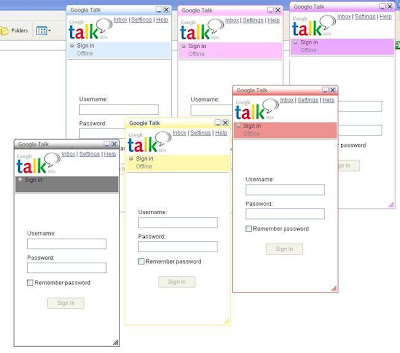
1.Move to C:\Documents and Settings\"username"\Local Settings\Application Data\Google\Google Talk\ themes\user\chat
Here "username" is your windows login user name.This folder is the place where all pre-installed Gtalk themes are stored.If you have downloaded a theme for Gtalk then you have to paste it here only.
2.Select a desired theme and click on the theme folder and move to this folder
C:\Documents and Settings\"Username"\Local Settings\Application Data\Google\Google Talk\themes\system\chat\"themename"\Contents\Resources
Here you will find main.css file. This CSS file defines the looks of Google Talk skins. You can edit these CSS and create your own custom theme. You can add your own custom images and colors to Google Talk.
3.Now you have created your own Gtalk theme.This is the time to install it on Gtalk. For this open your Google Talk and select Settings-> Appearance and you will be able to see your new theme.
If you like this post then you might be interested in latest Firefox themes also.
Read more!
at
Saturday, June 28, 2008
Posted by
jay

Usually forums consist of some kind of valuable information shared by many users over Internet .Forums are meant for open sharing of information to each other but sometimes some forums doesn't go with this Forum quality of open information sharing.They won’t allow us to view its thread without registration for this they make it password protected.This is not sure that you will found your desired information after that compulsory registration .This post will show you how to bypass the forum registration process and still read the forum thread.
Go to Google and type the search string and search it against the forum that requires registration . Example - your keyword site:theforumwebsite.com
You should then be looking at the results page with links to various forum threads from that forum. All you have to do is click on cache link below the search result instead of clicking on search result link itself. This will show you the cached version of the forum thread without the need for registration in the forum.
Actually most of the forums allow Google and other search engines to crawl through them freely but don’t allow people to browse without a registration. Meaning, only members can access the thread. When viewing cached version, you see the page that search engines crawlers captured without registration in the forum.
So now you are not required to go through that compulsory registration.Enjoy searching articles on forums without registration.
Read more!
at
Saturday, June 28, 2008
Posted by
jay

I found this nice pic about
Microsoft,
yahoo and
Google (Yes Google too).I thought its worth sharing with you people.
Source
Read more!
at
Thursday, June 19, 2008
Posted by
jay

Google calender allows you to set SMS/Text alerts for the events in your calender.First of check the
list of service providers to confirm that your service provider is in the list otherwise you won't be able to receive SMS,Text alerts.
After that follow these steps to configure your Google calender for sending SMS,Text alerts for events.
Configure your Mobile number:1. Log in to
Google Calendar 2. Click on Settings at the top and select Mobile Setup tab
3. Choose your country and enter your mobile number
4. Click on Send Verification Code button
5. Wait till you get a message from Google with verification code. Once you receive the verification code, enter the code and click on Finish setup
Now you are all set to receive SMS alerts for the event reminders you create in Google Calendar.
Creating an Event With SMS Alert:
From now onwards whenever you create an event, you get an extra option “SMS” in the add reminders section. Choose the SMS option and choose the time before the event when you should be reminded.
Now you are done with this.From now onwards hope you never miss an event in your web calendar, even though you don’t have access to Internet.
Read more!
at
Thursday, June 12, 2008
Posted by
jay
Yes,we have moved.Now we have a domain name
jaystech.com but we are still a blogger hosted blog.As many of you might be aware that blogger provide the facility to use custom domain which can be purchased from Google itself (or from anywhere else on internet ) by the use of Google apps and
Godaddy collaboration.

Blogger will continue to redirect our old domain
techinnews.blogspot.com to our new domain
jaysTech.com.So users can access blog content from both the address but still we recommend to use
jaysTech.com.Some of the readers asked about the change in name, why i didn't go for techbuzz.com or techinnews.com since we have used both names for more than 1 and half years.I would like to tell all of them that first of all i tried to go for these names only but both of them were registered on almost each domain.
After this i tried many,many(and many) names but almost each of them were registered or parked.Manoj from
liveindya sugested this name jaysTech.com and i aggreed on this.Some time later in this year we are planning to move on wordpress hosted site but presently i have decided to stay on blogger.This delay will provide time to users to catch up with this new name jaysTech.com and because of this we are not going to loose any subscriber or reader since they are also redirected to our new address.
As i told you that i have purchased jaysTech.com from Google ,so Google has provided me some nice facilities like email service at our own domain name like id@jaysTech.com which can be accessed from
mail.jaysTech.com.This emails are on Gmail server means we will get full access to gmail facilities and security with somewhat 6-7 Gb free space that Gmail is presently offering.

Now i have decided to provide this facility to our users also.Readers who want email addesses at their own name like name@jaystech.com which they were unable to recieve on any other email service just because somebody has already created that with their names on that service provider or whatever ,can mail me at my new address jay@jaysTech.com to receive their own name Gmail ids on Jaystech.com.I will provide these id to first 50 readers since i have limited ids.
at
Monday, June 09, 2008
Posted by
jay
Previously i wrote about
how to hack orkut accounts this time i am with a guide on how to save your orkut account from getting hacked. For this lets go through the login security system used by Google for its application like orkut.
Google uses a 4 Level Orkut login which makes it difficult to hack using brute force method.
1st Level Security-SSL or 128 bit secured connection
2nd Level Google account checks for cookie in the sytem of user
3rd Level Google provides a redirection to the entered User information
4th Level Google doesn't use conventional php/aspx/asp coding so impossible to attack using input validation attack!!

It is not an easy task to break this security! But still some people manages to get access to other accounts. The question concerned is How they do it? Many of them just use simple tricks that be fool users and then they them self leak out their password. Here are some points you need to take care of, to prevent your Orkut account being hacked!
Phishing Attack is the most popular way of stealing other's password. Popular by the name of fake login (among those who knows it!!) the users land on a page where they are asked for their login information and they enter their username and password thinking it to be a real page but actually it is other way round. It submits all the details entered to the programmer or the coder.
Community Links: Many times you are provided with a link to a community in a scrap. Read the link carefully, It may be something like http://www.okrut.com/Community.aspx?cmm= 22910233 OKRUT not ORKUT. Clicking on this link will take you to a fake login page and there you loose up your password.
Orkut New Features: I have come across a page that looks like they are giving the user a choice of selecting new features for orkut with your ID and password, of course!! When user submit the page, there goes his ID and password mailed to the coder.
Java script: You must have seen the circulating scraps that asks you to paste this code in your address bar and see what happens! Well sometimes they also leak out your information. Check the code and if you are unsure of what to do, then I recommend not to use it.
Primary mail address: If by some means a hacker came to know password of your
email address, which users normally keeps as their primary mail address in their Orkut account, then hacker can hack Orkut account by simply using USER ID and clicking on 'forget password'.This way Google will send link to the already hacked primary email id to change the password of the Orkut account. Hence the email hacker will change your Orkut account's password. Hence your Orkut account hacked too.
So a better thing would be to keep a very unknown or useless email id of yours as primary email id so that if the hacker clicks on 'Forgot password' the password changing link goes to an unknown email id i.e. not known to the hacker.
These are the some of the methods which can alarm you about the possibility of account hacking. So its better to play safe.
Read more!


