Showing posts with label photoshop. Show all posts

How To Enable Thumbnails For PSD (Photoshop) Files


Normally PSD (adobe Photoshop) files uses photoshop's icon even when you try to view thumbnail view.They generally don't show thumbnail view of the image. It might be very discouraging if you have to look for a particular image in a folder containing lots of PSD files.

For simplicity purpose you can enable the thumbnail view of adobe phothop's PSD images.This is quite simple, just follow these steps

1.Download psicon.dll in zip format from here.
2.Unzip it.(now you will have 3 files. psicon.dll, psicon.dll.reg and read me.txt)
3.Copy the psicon.dll to the following path:
C:\Program Files\Common Files\Adobe\Shell\

If adode directory does not have a shell folder then create it.

4. After copying, double click the psicon.dll.reg file and click yes when it ask are you sure to add ... this information into registry.
5. Click OK, for the info window that pops up to tell us that the registry key has been copied.

Go to any folder containing PSD files, and choose Thumbnails from the View menu. You should now be able to view the thumbnails for PSD files, just as you see thumbnails of .jpeg,.gif images.


Read more!

Top 10 image editing softwares

When we think about image editing then most of us think about adobe photo shop software for editing images. There are some simple and more useful imaging software available out there that are just waiting for you to use them. Let us take a look at some of these “Image editing software” and choose the one that suits our needs.
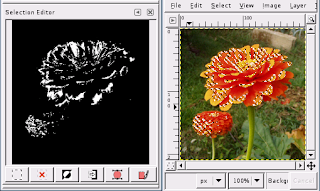


1.Adobe photoshop:

Adobe PhotoShop has always been on the forefront of image editing. Delivering the broadcast and most productive toolset available, It definitely helps you explore your creativity, work at peak efficiency, and achieve the highest quality results across all media.

2.3D Stereo image Factory PLUS:

Create your own exciting stereoscopic images on your PC using your very own stereo image image pairs with this amazing software. With its intuitive and easy to use interface, anyone can create true stereoscopic images in just a few simple steps.

3.ACDSee:

ACDSee is the fastest picture viewe, graphic converter and image sharing tool available for windows. ACDSee gives sharp image tools, batch file functions, and plug-in features so you can enhance, convert, and share your images over the internet instantly.

4.602Pro PC Suite.:

Free alternative to MS Office that’s compatible with word and Excel files, integration with Outlook Express, digital Camera and scanner support is included. The add-on Plus pack lets you create interactive photo albums, organize your images with 602Desk, print Bar Codes, export your documents into easy-to-use JPEG web presentation and more.

5.Autoeye:

Auto FX Software’s AutoEye is a product that was created to automatically improve digital images by rebuilding colour detail, sharpness and image vibrancy. AutoEye uses a different set of adjustment methods than Photoshop or other image Editing Applications. AutoEye does not use standard curves and histogram to adjust images on a global basis within the RGB or CMYK colour space. As such AutoEye’s unique methods often result in image Enhancements that are easier to attain and yield a higher quality result.

6.CompuPic Pro :

Visually browse photos, web pages, and files. View files of almost any format instantly. Publish customised web pages with themes. Make quick modifications with advanced editing. Create your own Phototodex Picture CDs. Scan and download entire websites. Perform Advanced Batch Conversions.

7.Calender builder:

This software lets you illustrate calendars with your digital images. When you purchase Calendar Builder, you get over 700 additional icons for animals and birds, arrows, books, cameras, clothing, drawing, earth etc.

8.Adobe ActiveShare.

Organise, enhance and share your digital photos with family and friends. You can import photos from digital cameras, scanner, or Kodak picture CDs and view them on your desktop. With this sotware you can also enhance and organise your images into digital pho albums

9.DreamSuite.

DreamSuite provides you with photo-realistic results that are difficult or impossible to achieve using any other software or method. Most of the effects in this software are brand new to industry and unique in their digital forms. This includes 35mm Frame, Chisel, Crackle, Crease, Cubism, Deckle, Dimension X, Focus, HotStamp, Instamatic, LiquidMetal, MetalMixer PhotoBorder, PhotoDepth, PhotoTone, Putty, Riple and Tape.

10.Do Neat Things With Your Stuff.

This Program helps you enjoy and manage your collection of digital photos, movies, music and realmedia. Make, save and autoplay or manually playplaylists with just a few keystrokes. Use your own keywords for your playitems and search for them. You can even password protect your confidential material.


Read more!

1000+ Keyboard short cuts for windows,Mac,web browsers and top web services

I tried to write some important key board shortcuts but i found them very large in comparison to a blog post so i decided to provide their link in this post.enjoy them.

1.This is a list of the most common keyboard shortcuts in Firefox, and the equivalents in Internet Explorer and Opera.

2.List of Mac OS X keyboard shortcuts

3.List of the keyboard shortcuts that are available in Windows XP

4.Powerpoint keyboard tutorials

5.Google calender keyboard short cuts

6.Gmail keyboard short cuts

7.Yahoo mail keyboard short cuts

8.Google Docs & Spreadsheets keyboard short cuts

9.Google reader keyboard short cuts

10.Wikipedia keyboard short cuts

11.Blogger keyboard short cuts

12.Remember the milk keyboard short cuts

13.pandora keyboard short cuts

14.MSN keyboard short cuts

15.AIM Mail keyboard shortcuts

16.Windows vista keyboard short cuts

17.orkut keyboard short cuts

Since the orkut keyboard are very few,so i am mentioning them here also
* Home: Ctrl + Shift + H
* Scrapbook: Ctrl + Shift + S
* Communities: Ctrl + Shift + C
* Friends: Ctrl + Shift + F
* Edit Profile: Ctrl + Shift + E

18.adobe Photoshop keyboard short cuts

19.Google desktop keyboard short cuts

*Ctrl + Alt + G or Windows + G : Focus the cursor in the search box of Google Desktop Deskbar, Sidebar, or Floating Deskbar.

*Shift twice :hide or display undocked gadgets, and to bring any hidden gadget to the front of your screen.

*Ctrl twice :Instantly make the search box appear.


I hope i will continue to update this list as i found new links for key board short cuts.Please provide me some feedback about these sources.


Read more!

Indian politician use photoshop


Indian politician uses photoshop for gathering crowd in their shows.This was revealed by
a site kashmirnews which showed the photograph of the rally of the chief minister of J&K
MR. Gulam nabi Azad. These photographs were released by the department of information of J&K.

They clearly shows that photoshop's clone stamp was used for adding crowd to the photographs.

So its clear that the attempt was very good but hawk eye vision of Kashmir news people caught
that and now it is going to bring some shame in the account of the party which remain unsuccessful in bringing people to the venue and hence to maintain the status of the leader Adobe Photoshop was used.


Read more!
RSS Entries

Recent Post